This is featured post 1 title

Lorem ipsum dolor sit amet, consectetur adipisicing elit, sed do eiusmod tempor incididunt ut labore et dolore magna aliqua. Ut enim ad minim veniam, quis nostrud exercitation test link ullamco laboris nisi ut aliquip ex ea commodo consequat.

This is featured post 2 title

Lorem ipsum dolor sit amet, consectetur adipisicing elit, sed do eiusmod tempor incididunt ut labore et dolore magna aliqua. Ut enim ad minim veniam, quis nostrud exercitation test link ullamco laboris nisi ut aliquip ex ea commodo consequat.

This is featured post 3 title

Lorem ipsum dolor sit amet, consectetur adipisicing elit, sed do eiusmod tempor incididunt ut labore et dolore magna aliqua. Ut enim ad minim veniam, quis nostrud exercitation test link ullamco laboris nisi ut aliquip ex ea commodo consequat.

This is featured post 4 title

Lorem ipsum dolor sit amet, consectetur adipisicing elit, sed do eiusmod tempor incididunt ut labore et dolore magna aliqua. Ut enim ad minim veniam, quis nostrud exercitation test link ullamco laboris nisi ut aliquip ex ea commodo consequat.

This is featured post 5 title

Lorem ipsum dolor sit amet, consectetur adipisicing elit, sed do eiusmod tempor incididunt ut labore et dolore magna aliqua. Ut enim ad minim veniam, quis nostrud exercitation test link ullamco laboris nisi ut aliquip ex ea commodo consequat.


Pop Royale: Ready, Set, POP

0 comments


Pop Royale is the perfect blend between the swipe-based success of Fruit Ninja and the excitement of a Las Vegas slot machine. The idea is simple and addictive. You collect coins by creating combos from un-popped corn kernels with a mid-air swipe and buttering the popped kernels before they land in the bowl. But watch out for the burnt kernels, they’ll set you back a few points! Your coins are redeemed for super fun power-ups like “Fat Finger” where your finger swipe area becomes twice as big, a “Coin Gun” which transforms burnt kernels to coins, and the uber exciting “Frenzy” where the screen fills with popcorn kernels and you swipe like crazy to pop as many as you can in 10 seconds.

Connect with game center to see which of your friends have the highest scores and measure yourself on our worldwide leader board!

FEATURES
*Swipe the kernels to make them pop
*Connect multiple kernels to make a popcorn combo
*Collect coins and use them to spin for a power-up
*Tap the popped corn to splash some butter on it
*Tons of fun power-ups
- Frenzy
- Double the points
- Fat Finger
- Coin Gun
- Pop Detonator
- Extra time in the Microwave
- and more...
*Shake the bag for additional pops
*Get rated at the end of the game for bonus points


Camera 360 Ultimate Free For Android

0 comments

Cover art


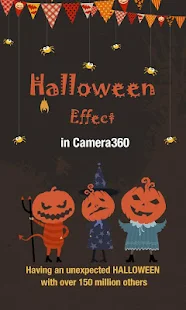
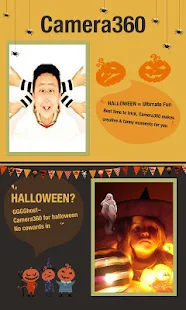
*Happy Halloween~*
**Camera360, special for Halloween, brings brand NEW Halloween effect in Effects shooting mode. It might be funny, it might be horrible. Think twice before you start.**
With over 150,000,000 users globally, Camera360 has become the most popular mobile camera app in the world. Together with HelloCamera, Movie360, and Pink360, Camera360 provides a comprehensive suite of professional yet fun mobile photography options.
To make your life even easier, Camera360 has introduced Camera360 Cloud, a cloud platform that can help you manage, edit, store, and share your photos all in one place. Join the millions of users who have already uploaded over 300 million photos in enjoying these FREE services!
Featured Details:
1. New Halloween Effect is added to Effects shooting mode. Have fun and watch out.
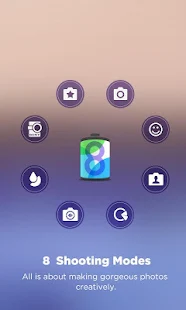
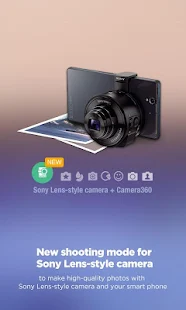
2. Eight Shooting Modes that include: Sony camera mode, effects mode, self-portrait mode, quick-shoot mode, funny mode, tilt-shift mode, color-shift mode, audio camera mode and more!
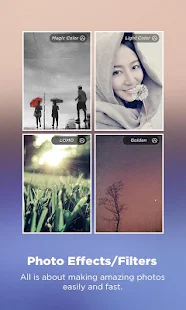
3. Improved Effects with our third generation image processing engine that can make Effects even clearer and more colorful, creating thrilling photography experiences like never before.
4. Live Effects enables you to view in so real-time that you can shoot amazing photos much easier. **This feature’s performance varies according to device, and the viewing face might be a little blurry. You can turn off Live Effects in Settings. **
5. Camera360 Cloud which provides a safe and private platform for you to browse, manage, edit, and share your most favorite mobile photos (supports 2000 px photo uploads)
6. Easy Sharing options that can help you share your favorite photos with friends on Facebook, Twitter and more…
Android devices vary quite a bit, and it is difficult to make Camera360 work perfectly on everyone’s device. We thank you in advance for your kind patience and understanding, and especially for your continued support! Please feel free to contact us at support@pinguo.us if you have any comments or suggestions.
More surprise for Halloween, please
Like us on Facebook:
https://www.facebook.com/camera360official
Follow us on Twitter:
https://twitter.com/Camera360


Camera360 Ultimate - screenshot thumbnailCamera360 Ultimate - screenshot thumbnailCamera360 Ultimate - screenshot thumbnailCamera360 Ultimate - screenshot thumbnailCamera360 Ultimate - screenshot thumbnail


Magic Hour Camera For Android

0 comments

Cover art


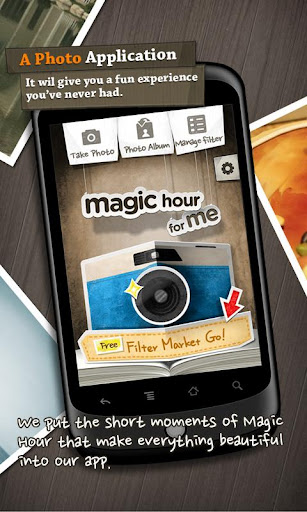
Magic Hour is an app that can transform your ordinary photos to extraordinary ones.
It will give you a fun experience you've never had.
We put the short moments of Magic Hour that make everything beautiful into our app.

Capture the moments of daily life!
  • Use the grid, touch screen photo taking capabilities, flash capability (offered in the available devices) and front camera(offered in Galaxy S, S2, Nexus 2 with GingerBread).
  • "Save Original Photo" function.
Make your memories more precious!
  • By using 40 awesome filters we provide, turn your photos into work of art. It only takes a few taps.

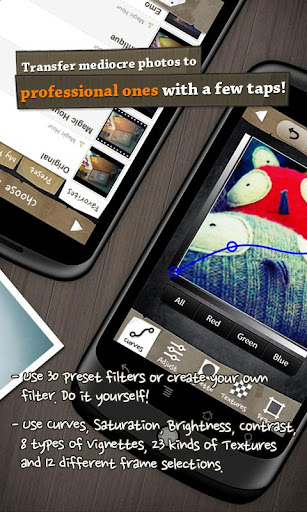
Transfer mediocre photos to professional ones with a few taps!
  • Use Curves, Saturation, Brightness, Contrast, 8 types of Vignettes, 23 kinds of Textures and 12 different frame selections.
  • Retouch the curves, brightness, contrast, vignette, textures, and frames of your photos. 
  • By doing so, you can make the filters suit your mood, taste and style. Also you can save your filters and use them again anytime.
  • Create filters and edit them anytime
Post your photos and share it with your friends and the whole world.
  • You can share photos on social network services such as facebook, twitter, flickr, tumblr, WhatsApp, KakaoTalk! 
  • Choose your facebook wall or album, twitpic or yfrog via twitter or simply email it to your friends.
  • You can simply use Magic Hour on your Gallery share menu.
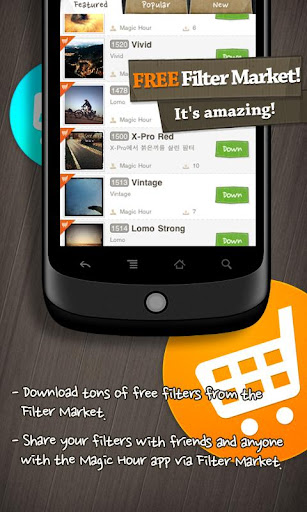
FREE Filter Market! It's amazing!
What photo app would be fun without updating it with new filters?
We provide you with unlimited filters from the Filter Market. You can upload your filters and share them with your friends and anyone with Magic Hour application. 
  • Download tons of free filters from the Filter Market.
  • Share your filters with friends and anyone with the Magic Hour app via Filter Market.
Supported screen size"
  • 320x480, 480x800, 480x854, 600x1024
What's in this version : (Updated : Nov 1, 2013)
  • Supports editing photos in standard aspect ratios like 3:4, 4:3
  • Adding Tilt-Shift effect
  • Bug fixes for saving original photos on some phones.
  • Enjoy making beautiful photos with Magic Hour.


    Gmail For Android

    0 comments

    Cover art


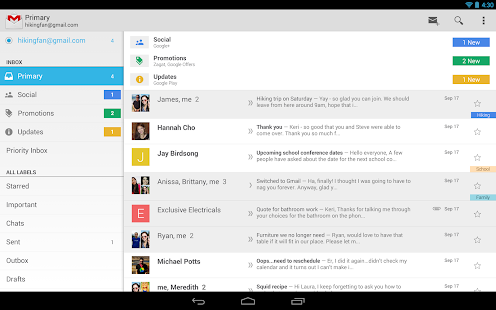
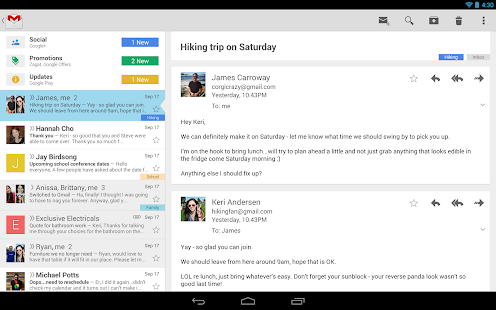
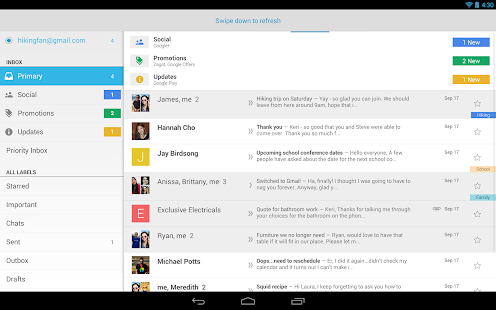
    Gmail is built on the idea that email can be more intuitive, efficient, and useful; maybe even fun! Get your email instantly via push notifications, read and respond to your conversations online & offline, and search and find any email.
    Gmail also lets you:
    • Manage multiple accounts
    • View and save attachments
    • Set up label notifications.

    What's New
    ● Improved sync and outbox behaviour
    ● Contact photos turn into tick boxes when selected
    ● Fresh new look
    Android 4.0 (Ice Cream Sandwich) and up.

    Gmail - screenshot thumbnailGmail - screenshot thumbnailGmail - screenshot thumbnail


    Smart IR Remote - Samsung/Htc For Android

    0 comments

    Smart IR Remote - Samsung/HTC v1.6.1


    Now compatible with all Samsung tablets & Notes carrying an IR Blaster, as well as all similar HTC devices (like the HTC One with IR Blaster).

    You can now use your smartphone as an Universal Infrared Remote (IR Remote)
    The reason must you need to use more than one distant for all you products you possess?
    With Smart Remote to your Samsung Galaxy S4, you can add, create in addition to personalize several remotes, mixing handles through all of your present remotes. Imagine 1 distant where the actual CHANNEL UP button handles your own Fixed Major Package from a TV provider,the VOLUME keys control your home theatre technique and the arrow recommendations control your TV's menu.

    What's New
    New in v1.6.1
    - Apps2SD support
    - fixed widget being cut off on some launchers
    - fixed Macro bugsis on tablets

    Smart IR Remote - Samsung/HTC v1.6.1Smart IR Remote - Samsung/HTC v1.6.1

    Smart IR Remote - Samsung/HTC v1.6.1Smart IR Remote - Samsung/HTC v1.6.1

    Smart IR Remote - Samsung/HTC v1.6.1Smart IR Remote - Samsung/HTC v1.6.1


    AV Player HD For iOS

    0 comments


    Do you enjoy watching videos on your iPad? Do you hate not being able to because your iPad cannot support the video format? Or do you hate the inconvenient and time-consuming hassle of trying to convert video formats to fit into one that your iPad can support?
    This is why the AVPlayerHD was created. The AVPlayerHD can play almost any computer video file format such as AVI, Xvid, WMV and much more clearly and effortlessly. No converting hassles. Just copy files via USB and just drag and drop into the AVPlayer’s Media Explorer.
    The AVPlayerHD can also support external subtitle files such as SMI and SRT. So if you enjoy watching videos on your iPad, then the AVPlayerHD is an absolute necessity.

    • Video Format Extension
    - Support High quality video clips ( 720P, 1080P )
    - Dolby Digital (AC3), Dolby Digital Plus (EAC3)
    - MP4,MOV,M4V
    - XVID,AVI,WMV,RMVB,ASF,H264,MKV… most of all movie file formats.
    - SMI, SRT, TXT, SubStationAlpha Subtitles

    • Post Processing
    - High quality video processing
    - Contrast,Saturation
    - TV-Out

    • Control the playback speed (From 0.5X to 2.0X)
    - User setting support
    -Sweep to the left : move to backword 10 sec
    -Sweep to the right : move to forward 10 sec
    -Sweep to the top : 1.5X speed
    -Sweep to the down : normal speed

    • Additional features
    - Rotation Lock / Aspect ratio Control
    - Folder Management:Pass code/Move/Rename/Create
    - Resume play from last position
    - Scrubbing search
    - supports e-mail attachment by "Open In" feature

    • USB/WIFI Transfer

    • Note
    1. How to add video with USB
    - Run iTunes 9.1 or above
    - Device->My Device(My iPad)->Apps, drag and drop files to the AVplayerHD's documents

    2. Support High quality video clips ( 720P, 1080P )
    - High quality video clips of 720P (1280 x 720) or more are recommended for MP4 format.
    - MP4, MOV, M4V formats that QuickTime supports can be played up to 1080P by using H/W Decoder but, Post Processing function isn’t provided.
    - Support H/W decoding for MKV and AVI (720P supported on iPad1, 1080P supported on iPad2 / The New iPad)
    - Hybrid decoding mode is added and now it is able to play high resolution videos by using hardware accelerator feature embedded in iPhone/iPad even for mkv or avi in h264. Also battery use time has extended.
    - Application may crash in iPhone 3GS / iPod Touch due to heavy use of memory in Hybrid decoding. Try turning off all application running in background and reboot the device by holding down sleep mode button for long time.
    - If screen shakes it means hardware decoding is not supported. Try turning off hybrid decoding.
    - When the file formats are available for MKV or AVI the player supports hardware decoding.
    - If you cannot choose audio in mp4 or avi, change the extension to mkv temporarily and chosen audio channel will be applied.

    3. The optimal speed when advancing its playing speed can differ depending on the way it’s compressed and the size.
    Video clips of XVID (AVI) 720 x 480 can be fast played up to 1.3-1.5 times faster than normal.
    iPad Screenshot 2iPad Screenshot 3iPad Screenshot 4iPad Screenshot 5


    Sketch Me For iOS

    0 comments


    The #1 Sketch App on the AppStore.
    Over 9 million downloads.

    ------------------------
    Former No.1 App in the USA, France, Italy, Spain, Thailand, Malaysia, Equador, Belgium, Portugal, Israel, Taiwan, Germany, Argentina, Ireland and many more.
    ------------------------

    Sketch Me! is a simple, fun app that lets you convert your photos into sketches by applying up to six different image effects.

    What people are saying:

    "A wonderful app that converts pictures into sketches. We love it when we come across a novel piece of technology made available in an app." - Apppicker.com

    "While Sketch Me! only does one thing, it does it really well. Go ahead and download it, you'll be surprised by how much fun taking "artistic" pictures." - Appdiscover

    Check out a video review of version 1.0 by iPawdTouch:
    http://www.youtube.com/watch?v=pHvVbvnREjw
    We've added some great new features since!
    ---------

    Main Features:
    - Supports Facebook and e-mail so you can easily share your sketches with your friends, as well as save them to your iPhone.
    - Features an easy-to-use interface. You can use your finger to move an image around on the screen to find its best position. You can also zoom in and out through the pinch gesture.
    - Split screen mode (as shown in icon), where only one half of the photo is shown in sketch.
    - Adjustable sketch parameters mean that you can have extra control over how the sketch effect turns out.
    - Now featuring 7 different sketch effects

    ------------------------

    The Sketch Me! effect can be applied to any image. Best results are obtained by using a picture with a bright/white background.

    Please send all feedback and suggestions to support@bluebeartech.com. We love to hear your ideas.

    iPhone Screenshot 1 iPhone Screenshot 2iPhone Screenshot 3 iPhone Screenshot 4